
You tapped "Connect Apple Health" and the sheet that came up had a scroll bar. Steps, heart rate, sleep, body mass, menstrual cycle, blood glucose — dozens of toggles, all asked for at once, and no obvious way to tell which ones the app actually needs, whether it can see the rest anyway, or how to walk any of it back next week.
That hesitation is the right instinct, and the answer is more reassuring than the sheet makes it look: what each platform hands over, what it deliberately withholds, where the data physically sits, and the exact screen where you take it back.
What does an app actually see when you connect Apple Health?
Only the data types you switched on, and only in the direction you switched them on. Apple calls this fine-grain authorization: an app has to request permission to read and to share each data type separately, and on the permission sheet you can toggle individual read and share permissions within each category.
So "connected to Apple Health" is not one state. Reading your resting heart rate and writing your body weight are two separate grants, and refusing one does nothing to the other. A man tracking testosterone therapy might connect weight and resting heart rate and nothing else; a woman tracking HRT might connect sleep and cycle data and leave weight off entirely. Both are a full, working connection.
There is a second layer that almost nobody is told about. An app cannot tell whether you denied it read access. Apple's documentation is blunt: if permission was denied, reads return only the samples the app itself saved — the same response an empty database would give. Apple's platform security guide says the point is to stop apps inferring your health status from which types you happen to track. Declining to share a fertility or glucose category does not raise a flag anywhere. It looks identical to having no data.
Recent versions of the sheet add a second screen, where you choose whether the app gets a recent window of data or your full history. Even then it can learn the earliest date it may read from, but still cannot distinguish full access from refusal.
How is Health Connect different on Android?
The model is the same — per data type, per direction — but the history is capped by default and the controls live in one system screen. An Android app declares each permission separately in its manifest; READ_HEART_RATE and WRITE_HEART_RATE are two different lines, granted or denied individually.
Then the default that surprises people: once you grant access, a connected app can read data from the last 30 days, plus anything written after that. Reading further back requires an extra permission, READ_HEALTH_DATA_HISTORY.
Where you find the controls depends on the Android version. On Android 14 and higher, Health Connect is part of the system: Settings → Security and privacy → Privacy Controls → Health Connect. On Android 13 and lower it is a separate app from the Play Store, under Settings → Apps.
What does "read-only" actually mean?
That the app holds read permission for certain types and no write permission at all — it can display your numbers but cannot add anything to the platform or alter what is already there. It is a claim about the direction data flows, nothing more.
That matters because writing is how an app changes the record your other apps see. An app with write access to body weight can put entries into the shared store that everything else reads as yours; an app with read-only access to the same type cannot.
There is also an honest corollary, which Google states plainly on its own help page: when third-party apps access your health records, they may make a copy of your data. So "what gets shared?" really splits in two — what the platform hands over, which is narrow, typed and revocable, and what the receiving app does with its copy afterwards, which is governed by that app's privacy policy rather than by Apple or Google.
Where does this data physically live?
On your phone. Health Connect stores your data locally on the device. HealthKit's store is on-device as well, encrypted in a class tied to your passcode: Apple assigns it the Protected Unless Open data protection class, and access is relinquished ten minutes after the device locks, returning when you next unlock with your passcode, Face ID or Touch ID.
If you sync Health to iCloud, Apple lists Health data as end-to-end encrypted under both standard data protection and Advanced Data Protection, with the keys held on your trusted devices — which requires two-factor authentication. Apple also notes that health data goes into a computer backup only if that backup is encrypted.
None of that tells you where a third-party app's copy lives. That is what a privacy policy is for, and it is the single most useful thing to read before you connect anything.
How do you check what an app can see — and revoke it?
Both platforms keep one list, and both let you switch off a single data type without disconnecting the app entirely.
On iPhone, open the Health app, tap your profile picture, and under Privacy tap Apps; Apple's security guide also names the path Settings → Health → Data Access & Devices. Anything that has ever asked appears in that list, whether or not you allowed it — so it doubles as a record of who asked.
On Android, open Health Connect and go to App permissions under "Permissions and data". Pick an app to turn individual read and write types off, switch Allow all off to cut it entirely, or use Remove access for all apps at the bottom of the list to clear every connection at once.
Two caveats worth writing down. Revoking a permission does not delete data already stored — Google says so on that same screen, and deleting your Health Connect data is a separate action. And revoking reaches nothing that has already left: a copy another app took last month stays with that app until you ask it to delete your data. Revocation stops the future, not the past.
What are apps not allowed to do with health data?
Both stores ban using it to sell you things. Apple's App Review Guideline 5.1.3(i) forbids using or disclosing data gathered in the health, fitness and medical research context — including from HealthKit — for advertising, marketing or other use-based data mining; guideline 5.1.2(vi) repeats it for HealthKit and related APIs, including by third parties. Google's Play policy requires health-permission access to be tied to a clear, user-facing feature, limited to the data types that feature needs, and disclosed in a privacy policy covering retention and deletion.
Those are enforcement rules, not laws of physics: they describe what a store acts on after the fact. The guarantee you actually hold is the one in the first three sections — typed, directional, revocable, and stored on your own device by default.
What to check before you connect anything
Four questions, in the order they are useful. Which specific types does the feature need, and does the request match that list? Is it asking to read, to write, or both — and does it say why it needs to write? Where does the copy go, and how do you get it deleted? And do you know the revoke path before you need it?
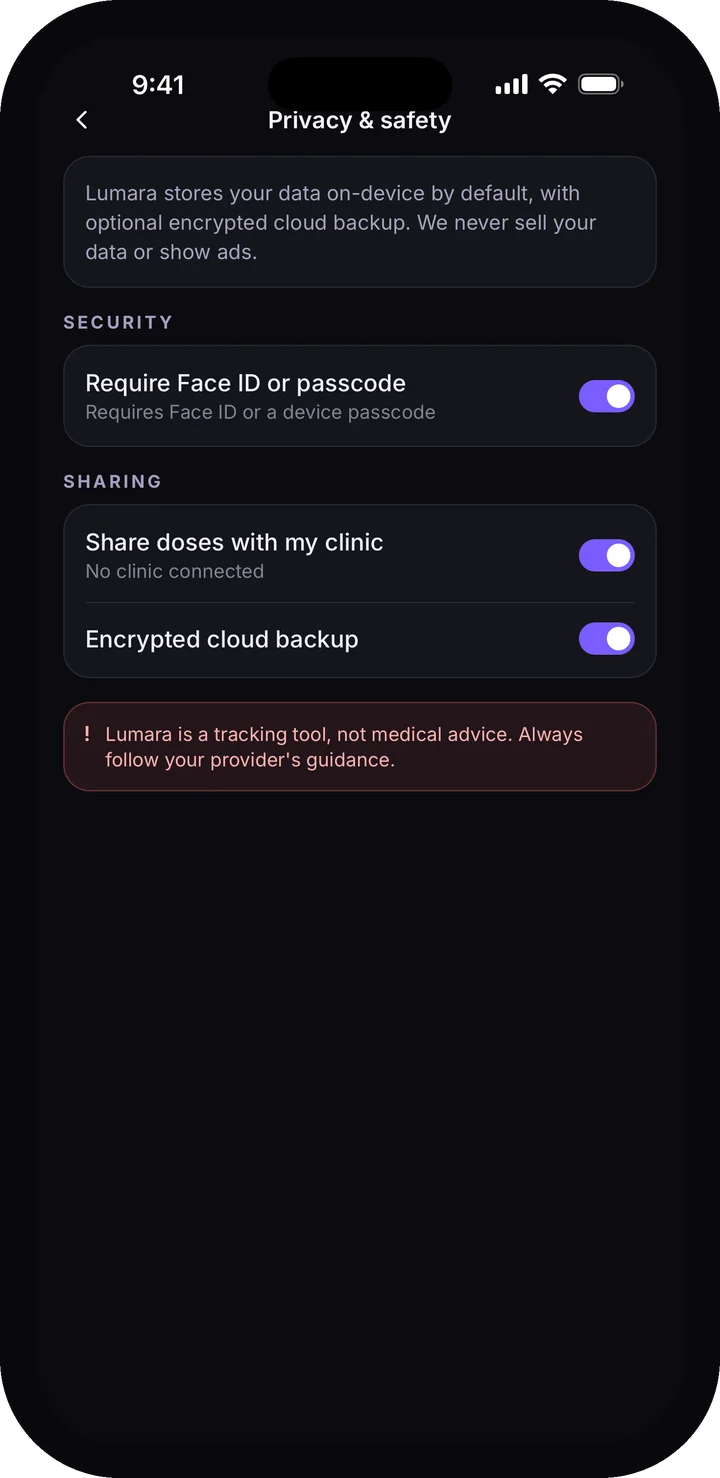
Lumara's answer, for the record: the health connection is read-only on selected types, used to show observational trends beside what you logged — never written back, never used for advertising, never sold. Why trust Lumara sets out the rest of how the app is built, the privacy policy names exactly what is read, and the medication tracker is the surface all of it feeds.